



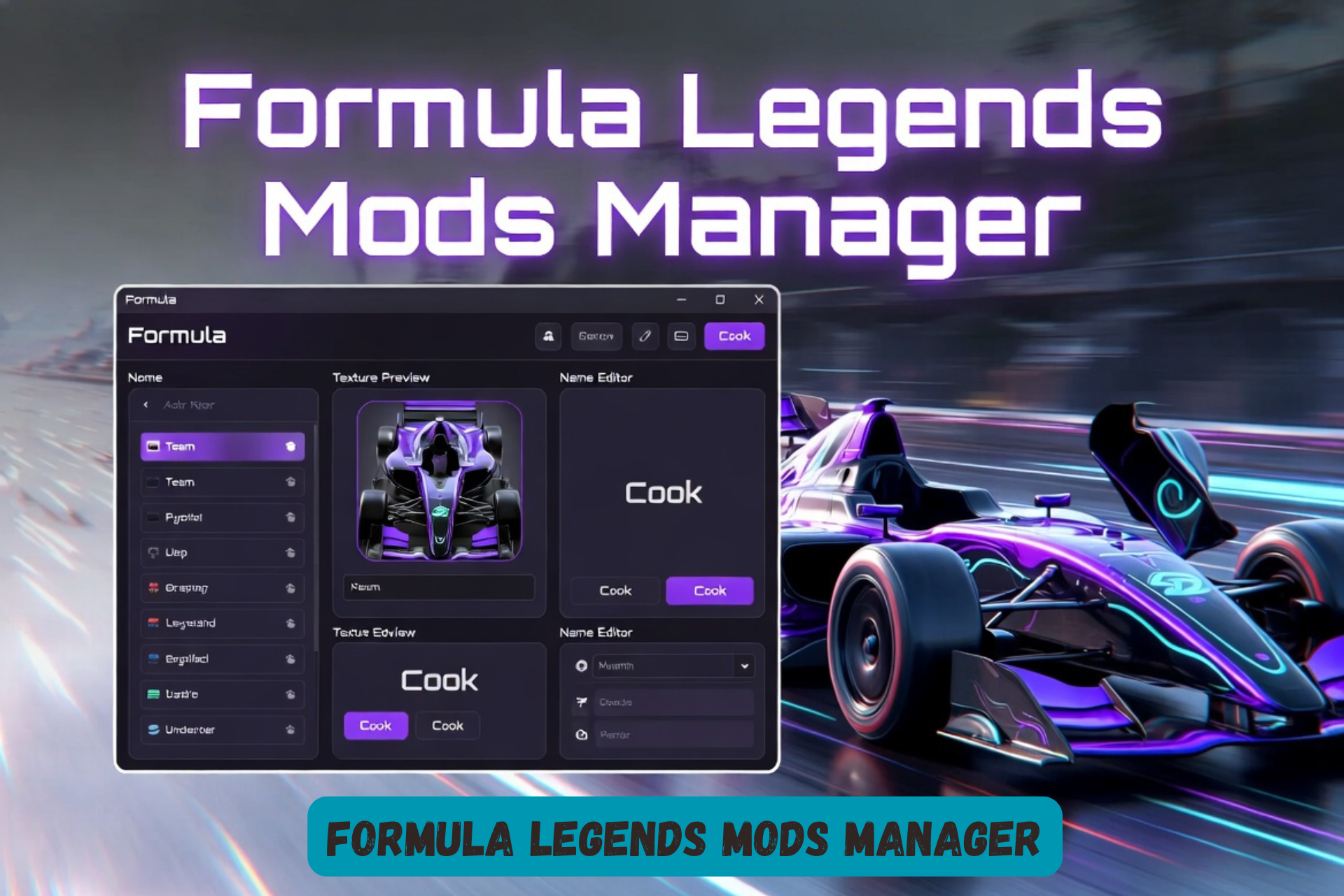
Formula Legends Mods Manager: The Essential Tool for Customizing Your Racing Experience
The Formula Legends Mods Manager is a user-friendly desktop application that simplifies mod management for Formula Legends, the mod-friendly arcade racer from 3DClouds. Released shortly after the game’s September 2025 launch, it lets players scan mod folders, preview textures, edit team and driver names, and cook assets with a few clicks—If you’ve ever spent an hour fixing broken liveries or digging through folders just to change one team logo, you’ll understand why many players quickly adopted this tool.
Whether you’re installing liveries, updating historical seasons, or building custom packs, this tool streamlines the process. Developed by community member mattyvio on OverTake.gg, it has seen rapid updates, including tyre texture support and track name editing in version 2.2.0.
Quick Facts
| Detail | Information |
| Name | Formula Legends Mod Manager |
| Version | 2.2.0 (as of December 2025) |
| Developer | mattyvio (OverTake.gg community) |
| Platform | Windows (Linux compatible for cooking) |
| File Size | ~36.3 MB |
| Primary Use | Mod installation, editing, and asset cooking for Formula Legends |
| Download Source | OverTake.gg (requires free account) |
| Key Features | Texture preview, name editing, batch cooking, mod pack creation |
What Is Formula Legends?
Formula Legends is an arcade-style racing game that spans seven decades of open-wheel motorsport history, from the late 1960s to the modern era. Developed by Italian studio 3DClouds and released on PC, PlayStation, Xbox, and Nintendo Switch in September 2025, it features stylized cars, reimagined circuits, and a strong emphasis on moddability.
The developers designed the PC version for easy decompiling and modding, encouraging community creations like custom liveries, team logos, driver names, and full season packs. This openness quickly led to a thriving mod scene on sites like OverTake.gg and Steam discussions.
Why Mods Matter in Formula Legends
The base game uses fictional or placeholder names and designs for licensing reasons. For many Formula 1 fans, playing with fictional team names can feel immersion-breaking—especially when you know exactly which real-world teams the game is inspired by.—real driver names, accurate team logos, era-specific liveries, and more. However, managing these mods manually involves complex folder structures, texture cooking (converting PNGs to Unreal Engine formats), and troubleshooting compatibility after game updates.
This is where the Formula Legends Mods Manager shines. It automates tedious tasks, reduces errors, and provides a visual interface for what would otherwise be folder diving and script running.
Key Features of the Formula Legends Mods Manager
Automatic Mod Scanning and Navigation
- Scans your Formula Legends Mods folder on launch.
- Organizes content by Year, Team, and Pilot.
- Previews logos, flags, helmets, vehicle textures, and more in-app.
Easy Name Editing
Change team and pilot names directly in the interface. Updates apply instantly to game files, with confirmation messages.
Texture Cooking Made Simple
- Cook textures for the entire mod folder, a single year, or one team.
- Supports Windows and Linux.
- Shows real-time progress while keeping the app responsive.
- Status indicators: Ready (green), Outdated (orange), or Not Cooked (red).
Team and Pilot Overviews
Each team page summarizes textures and provides quick access to editing options. Recent updates added tyre texture management (Hard, Soft, Medium, Wet) and track name editing.
Mod Pack Creation and Import/Export
Build and share compatible mod packs. Import configurations for quick setup.
How to Install and Use the Formula Legends Mods Manager
- Download — Visit the official page on OverTake.gg and log in (free account required).
- Requirements — Install the latest .NET runtime (desktop 9.0.x recommended for Windows users).
- Launch and Setup — Run the executable, point it to your Formula Legends Mods folder (typically SteamLibrary\steamapps\common\FormulaLegends\Mods).
- Browse and Edit — Use the left panel to navigate years/teams. Edit names or preview assets on the right.
- Cook Textures — Select scope and run the cook process. Check status indicators.
- Launch the Game — Test mods in Formula Legends. Rescan in the manager if needed after game updates.
Troubleshooting Tips:
- Nothing loads? Use “Rescan Mods.”
- Textures missing? Verify PNG files are in correct subfolders.
- Cooking issues? Ensure the cooking script is present.
Latest Updates and Community Feedback
Version 2.2.0 (December 19, 2025) introduced tyre textures, sponsor management, track name editing, and improved import/export. Earlier updates overhauled the UI and added mod pack building.
Most community feedback has been positive, especially from players who wanted a simpler alternative to manually editing files. though some early users reported launch issues resolved by .NET installation. Ratings on OverTake.gg average around 3 stars from limited reviews, with praise for active developer support.
Source Verification
Information in this article comes from:
- Official OverTake.gg resource page and update logs for the mod manager.
- 3DClouds and Steam pages for Formula Legends details.
- GamingOnLinux coverage of the game’s modding support.
- Steam community discussions on mod compatibility.
All technical details were cross-checked against primary sources as of May 2026.
FAQ: Formula Legends Mods Manager
Is the Formula Legends Mods Manager safe to use?
Yes. It is hosted on the reputable sim-racing site OverTake.gg and developed by a known community member. Always download from the official link and scan with antivirus.
Does it work on Linux?
Cooking works on Linux. The main interface is Windows-focused but many users run it successfully via Proton or similar.
Do I need programming knowledge?
No. The tool provides a visual interface that eliminates manual scripting for most tasks.
Will mods break after game updates?
Possibly. Game patches can change file structures. Use the manager’s rescan and re-cook features. Check OverTake.gg or Steam forums for compatibility notes.
Can I create my own mods with it?
Yes. It supports building mod packs and editing names/textures for sharing.
Is there support for console versions?
No. Modding is PC-only due to file access requirements.
Conclusion
Modding can be fun—but manually fixing broken files definitely isn’t. That’s why the Formula Legends Mods Manager has become a useful tool for players who want customization without unnecessary headaches. By handling scanning, previews, editing, and cooking in one place, it helps players fully enjoy the historical depth and customization that make Formula Legends stand out.
If you’re running custom seasons or restoring authentic F1 details, download the tool from OverTake.gg and explore the modding community. Regular updates from mattyvio ensure it stays relevant as the game evolves. Happy racing!
Whether you’re recreating classic F1 seasons or just tweaking your favorite team colors, this tool saves time and makes the process far less frustrating.
